Development Environment Setup
1. Overview
This page lists the drivers and software required for the servo gimbal course.
2. Serial Port Servo Configuration Tool
You can download the configuration software for UART bus servo from the FashionStar website.
FashionStar servo Software Download
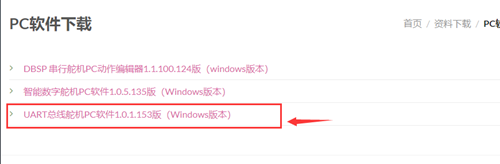
The software package is a compressed file with the rar extension. Extract it directly; no installation is required.
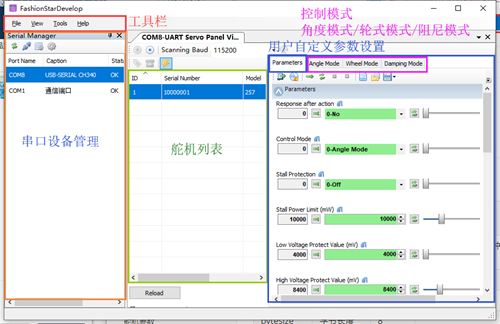
For details, refer to the tutorial Getting Started with serial port servo / 1.5 Using the servo configuration Software.
Refer to the tutorial to assign IDs to the servo.
3. Keil5 Installation
Keil5 is the IDE for STM32 development. Download the latest IDE from the official Keil website.
After installing the IDE, you also need to install the chip package for the STM32 F1 series.
Please search for a related video or text tutorial as needed.
4. STLinkV2 Driver Installation
For STLink driver installation materials and instructions on configuring the downloader options in Keil5, you can ask the STLinkV2 seller for documentation and technical support.
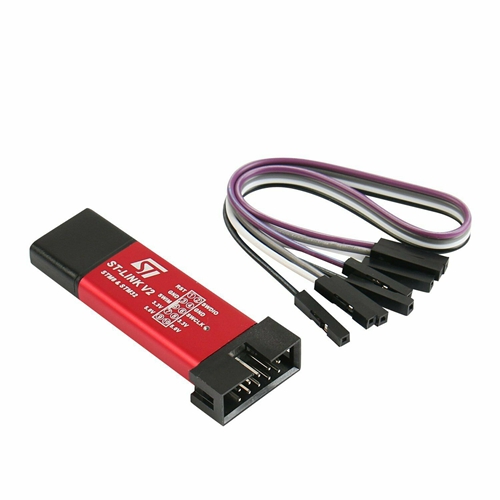
Note: Other downloaders can also be used. The setup is not limited to STLinkV2; this downloader is used here because it is inexpensive and occupies fewer pins.
5. USB to TTL Driver Download and Installation
The USB to TTL serial port chip used by the servo adapter board is CH340. Install the CH340 driver on Windows.
After the driver is installed, check whether the installation was successful.
Check Whether the CH340 Driver Is Installed Successfully
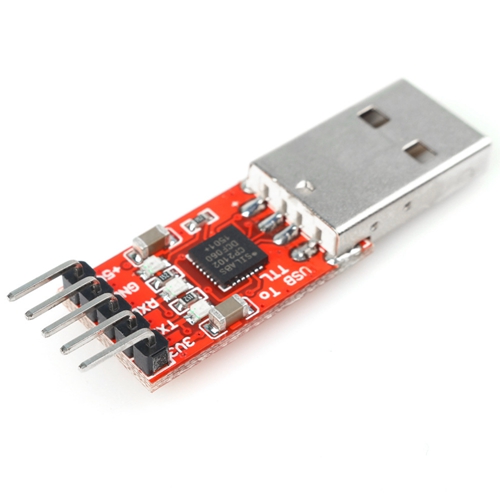
In addition, install the driver for the USB to TTL module you are using, such as CP2102.
6. Serial Port Configuration Assistant
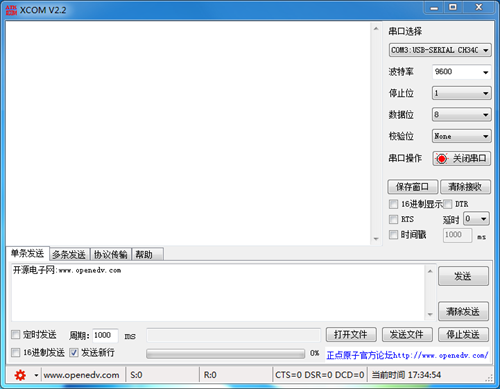
For the serial port configuration Assistant, XCOM V2.2 from ALIENTEK is recommended.
XCOM V2.2 Download (direct download, no registration required)
XCOM V2.2 Feature Introduction
7. OpenMV Driver and IDE Installation
Because the project uses the OpenMV vision module, install OpenMV IDE to develop and test vision-related functions.
The required OpenMV drivers are installed together with the IDE.
Reference video tutorials:
- to be continued
- to be continued
- to be continued
Additional learning resources will be recommended in later lessons.