Servo Communication Check
1. Servo Communication Check Command
To check whether a servo is online, use the PING command. The payload of the PING packet is the servo ID. If the servo with that ID exists and is online, the bus servo sends a response packet after receiving the PING command. If the servo with that ID does not exist or is offline, no servo will send a response packet.
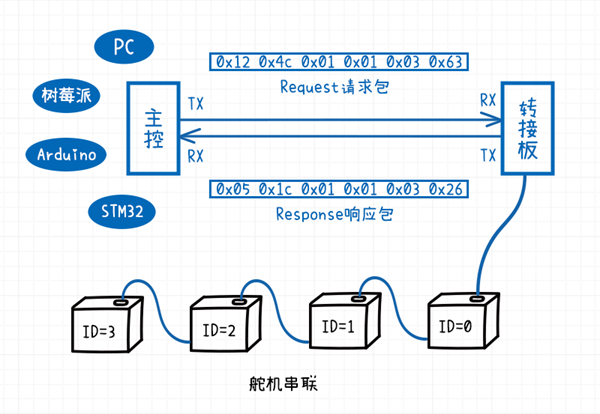
2. Operation Procedure
1 . Physical wiring
① Connect STM32 to STLinkV2.
② Connect STM32 UART1 to the bus servo adapter board.
③ Connect one bus servo with servo ID 0 to the bus servo adapter board.
④ Connect STM32 UART2 to the USB to TTL module.
Note: For wiring, refer to 1.4 Wiring Instructions.
2 . Open the STM32 example project file
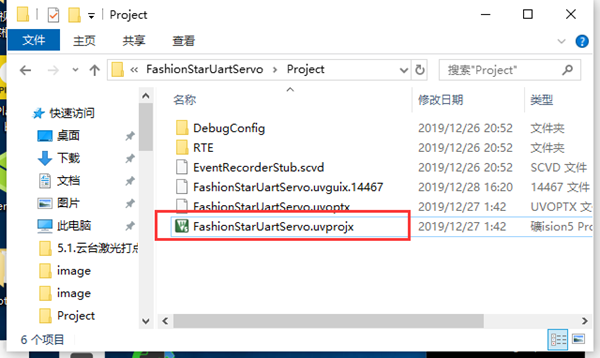
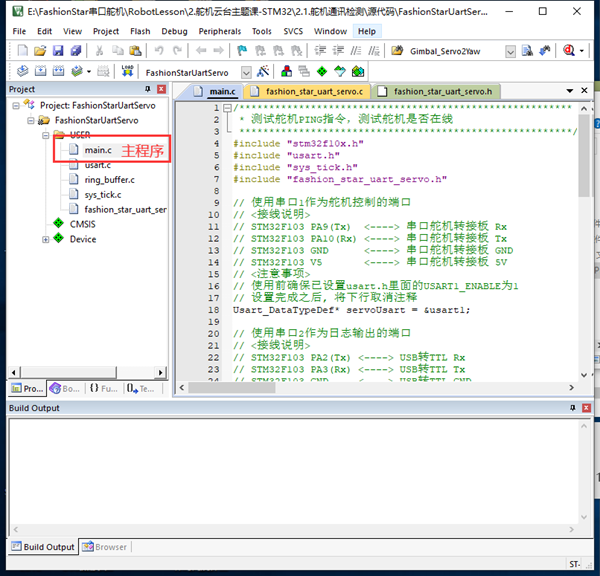
3 . Compile the code
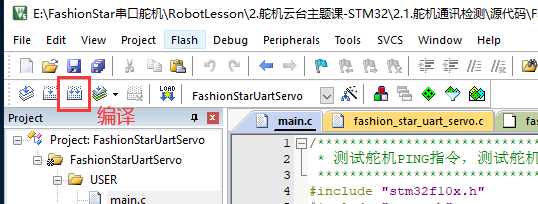
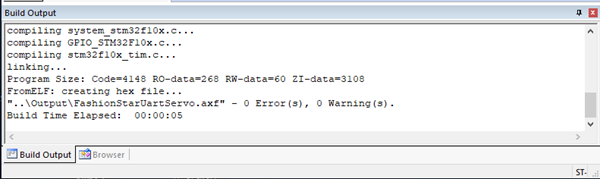
Log output: compile succeeded
4 . Connect STLinkV2 to the computer USB port
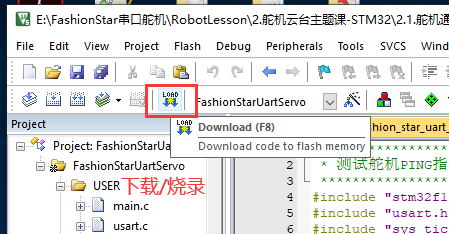
5 . Download the firmware to STM32
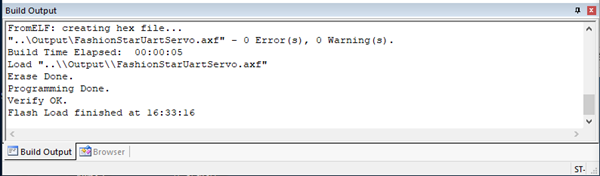
Log output after the firmware is successfully loaded into STM32 Flash:
6 . Power the servo
Connect the battery to the UART servo adapter board.
7 . Connect the USB to TTL module to the computer USB port
8 . Open the serial port configuration Assistant software
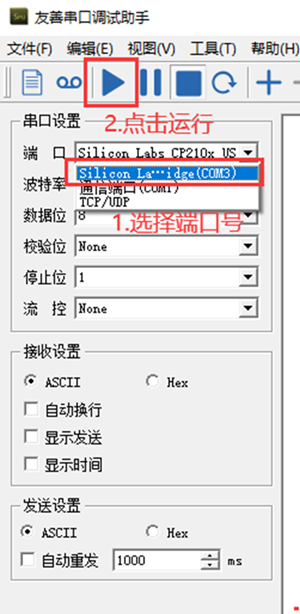
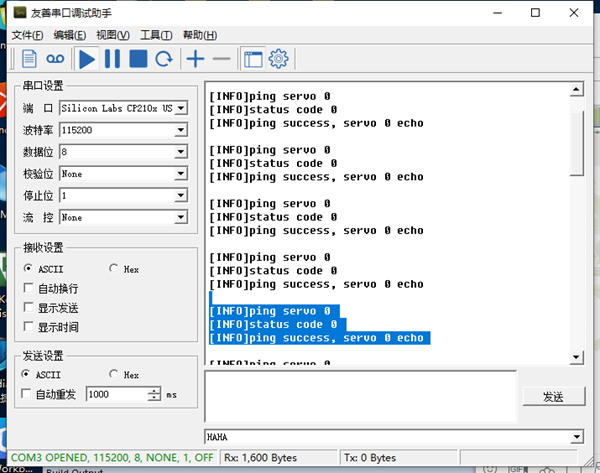
Select the corresponding device number, set the baud rate to 115200, and open the serial port.
Note: Friendly serial port configuration Assistant is used here as an example.
9 . Reset STM32
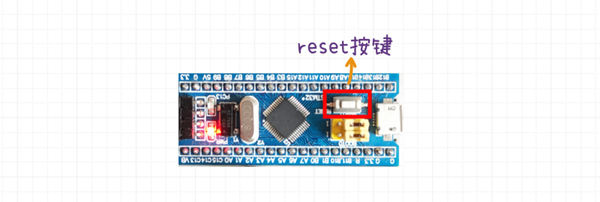
Press the RESET button on the STM32 development board. STM32 will then run the newly written firmware.
Note: STM32 runs the newly programmed firmware only after the reset button is pressed.
10 . View the log information in the serial port configuration Assistant
3. Hardware Resource Initialization
First, include the four required library files.
#include "stm32f10x.h"
#include "usart.h"
#include "sys_tick.h"
#include "fashion_star_uart_servo.h"
The first file, stm32f10x.h, is the STM32F103 standard library. The remaining three are custom libraries.
sys_tick.h
Manages system time. By configuring the system timer interrupt, it implements delay and countdown logic.
usart.h
Library for serial port communication. Through macro configuration, you can conveniently enable or disable the three USART resources on the STM32F103C8 development board.
fashion_star_uart_servo.h
Encapsulates the communication protocol of the Fashion Star bus servo. It is the STM32F103 SDK for the bus servo.
First, define two Usart_DataTypeDef structure pointers.
serial port 1 is used for servo control. The pointer servoUsart points to usart1.
Usart_DataTypeDef* servoUsart = &usart1;
serial port 2 is used for log output. The pointer loggingUsart points to usart2.
Usart_DataTypeDef* loggingUsart = &usart2;
Then initialize the SysTick timer and the serial port in sequence.
// 嘀嗒定时器初始化
SysTick_Init();
// 串口初始化
Usart_Init();
4. API Usage
The servo communication check function is FSUS_Ping. Pass in the serial port data structure pointer servoUsart and the servo ID servoId in sequence.
statusCode = FSUS_Ping(servoUsart, servoId);
statusCode is the returned status code FSUS_STATUS. A successful request returns 0. Any other value means the servo communication check failed. You can refer to fashion_star_uart_servo.h for the errors corresponding to different statusCode values.
// FSUS状态码
#define FSUS_STATUS uint8_t
#define FSUS_STATUS_SUCCESS 0 // 设置/读取成功
#define FSUS_STATUS_FAIL 1 // 设置/读取失败
#define FSUS_STATUS_TIMEOUT 2 // 等待超时
#define FSUS_STATUS_WRONG_RESPONSE_HEADER 3 // 响应头不对
#define FSUS_STATUS_UNKOWN_CMD_ID 4 // 未知的控制指令
#define FSUS_STATUS_SIZE_TOO_BIG 5 // 参数的size大于FSUS_PACK_RESPONSE_MAX_SIZE里面的限制
#define FSUS_STATUS_CHECKSUM_ERROR 6 // 校验和错误
#define FSUS_STATUS_ID_NOT_MATCH 7 // 请求的舵机ID跟反馈回来的舵机ID不匹配
5. Complete Main Program Source Code
/********************************************************
 * 测试舵机PING指令,测试舵机是否在线
 ********************************************************/
#include "stm32f10x.h"
#include "usart.h"
#include "sys_tick.h"
#include "fashion_star_uart_servo.h"

// 使用串口1作为舵机控制的端口
// <接线说明>
// STM32F103 PA9(Tx)  <----> 总线伺服舵机转接板 Rx
// STM32F103 PA10(Rx) <----> 总线伺服舵机转接板 Tx
// STM32F103 GND      <----> 总线伺服舵机转接板 GND
// STM32F103 V5       <----> 总线伺服舵机转接板 5V
// <注意事项>
// 使用前确保已设置usart.h里面的USART1_ENABLE为1
// 设置完成之后, 将下行取消注释
Usart_DataTypeDef* servoUsart = &usart1;

// 使用串口2作为日志输出的端口
// <接线说明>
// STM32F103 PA2(Tx) <----> USB转TTL Rx
// STM32F103 PA3(Rx) <----> USB转TTL Tx
// STM32F103 GND     <----> USB转TTL GND
// STM32F103 V5      <----> USB转TTL 5V (可选)
// <注意事项>
// 使用前确保已设置usart.h里面的USART2_ENABLE为1
Usart_DataTypeDef* loggingUsart = &usart2;

// 重定向c库函数printf到串口,重定向后可使用printf函数
int fputc(int ch, FILE *f)
{
    while((loggingUsart->pUSARTx->SR&0X40)==0){}
    /* 发送一个字节数据到串口 */
    USART_SendData(loggingUsart->pUSARTx, (uint8_t) ch);
    /* 等待发送完毕 */
    // while (USART_GetFlagStatus(USART1, USART_FLAG_TC) != SET);
    return (ch);
}

// 连接在转接板上的总线伺服舵机ID号
uint8_t servoId = 0;
// 发送Ping请求的状态码
FSUS_STATUS statusCode;

int main (void)
{
    // 嘀嗒定时器初始化
    SysTick_Init();
    // 串口初始化
    Usart_Init();

    while (1)
    {
        printf("\r\n");
        // Ping一下舵机
        printf("[INFO]ping servo %d \r\n", servoId);
        statusCode = FSUS_Ping(servoUsart, servoId);
        printf("[INFO]status code %d \r\n", statusCode);

        // 根据状态码做不同的处理
        if (statusCode == FSUS_STATUS_SUCCESS){
            printf("[INFO]ping success, servo %d echo \r\n", servoId);
        }else{
            printf("[ERROR]ping fail, servo %d not online \r\n", servoId);
        }
        // 等待1000ms
        SysTick_DelayMs(1000);
    }
}