Bus Servo PC Software Scanning and Serial Monitor Tips
1. Speed Up Scanning
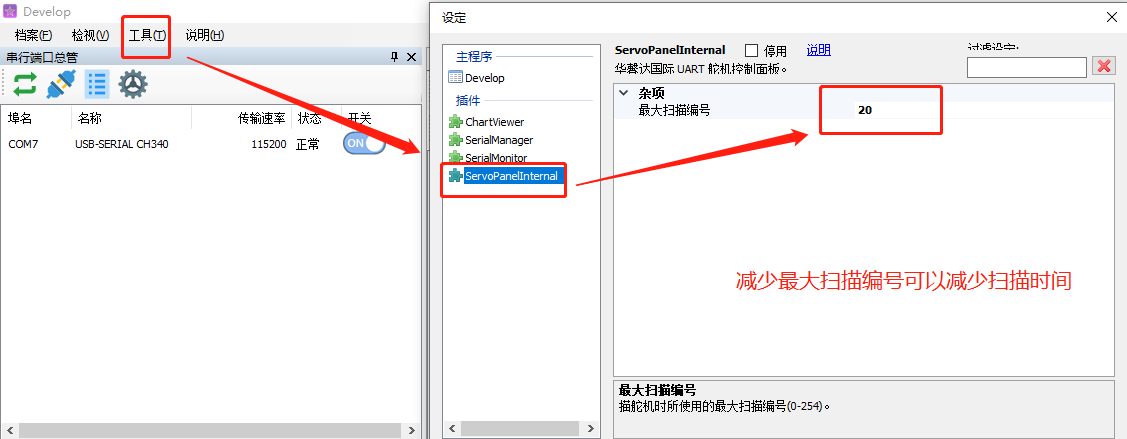
Note: Do not set the maximum scan ID too low. If a servo ID is outside the maximum ID range, it will not be detected during scanning.
2. Serial Port Monitor
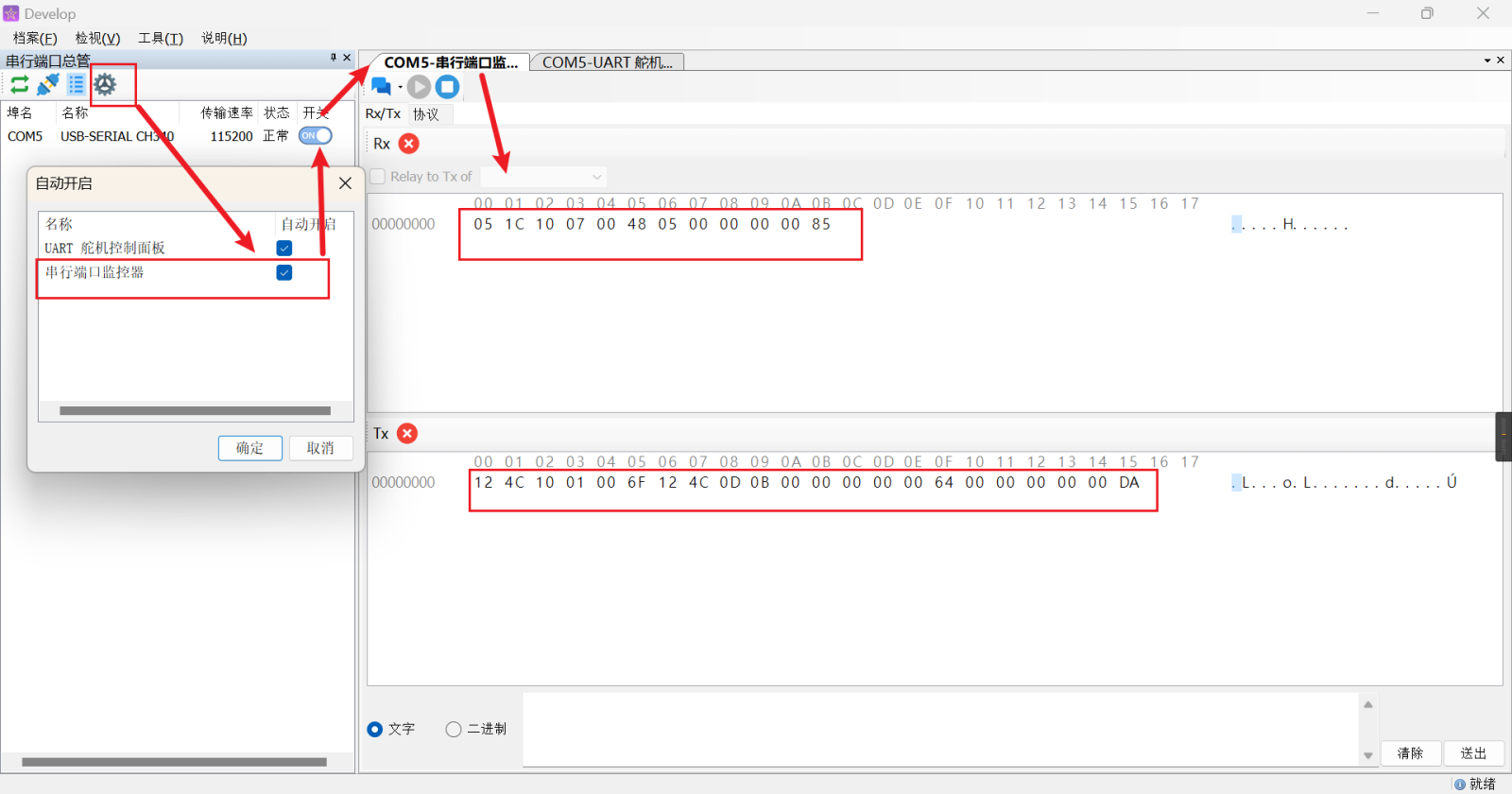
Use the serial port monitor to clearly view the underlying hexadecimal command corresponding to each PC configuration software operation.
Select Serial Port Monitor -> enable the serial port switch -> enter the interface to view the monitor.